
Every printer at a glance
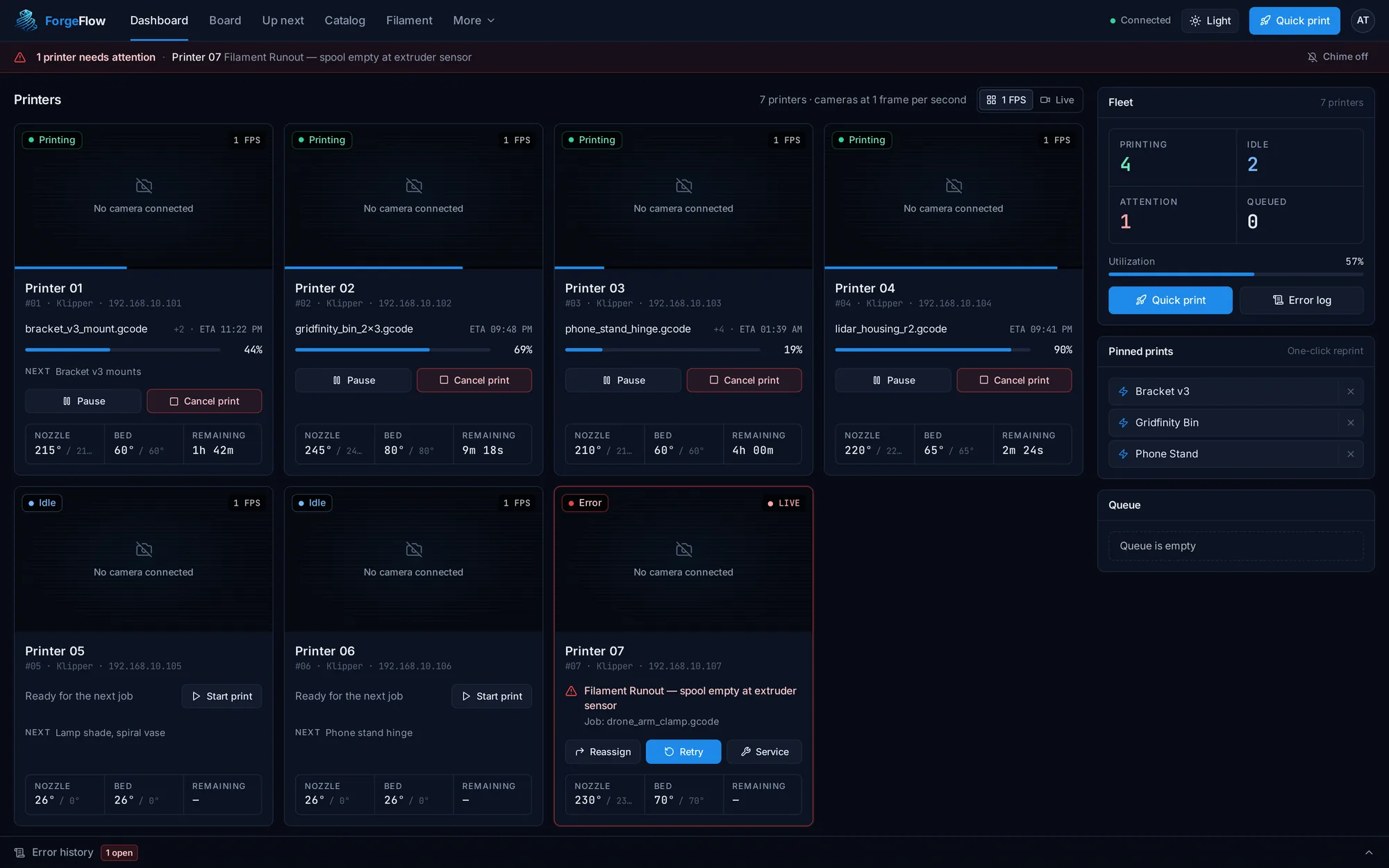
Status, progress, time left and temperatures for the whole fleet, with each printer’s camera right on its card.
ForgeFlow watches every printer and camera, lines up what prints next, and tells you the moment something fails. On the shop floor, or from anywhere.
Installs on a Windows PC in your shop. Your files and printer data stay there.
Connects to the printers already in your shop
What you get
Built for shops running several printers at once, where a missed fault or an idle printer costs real money.
Status, progress, time left and temperatures for the whole fleet, with each printer’s camera right on its card.
A light one-picture-a-second wall by default. Click a printer for live video. A printer that faults switches to live by itself.
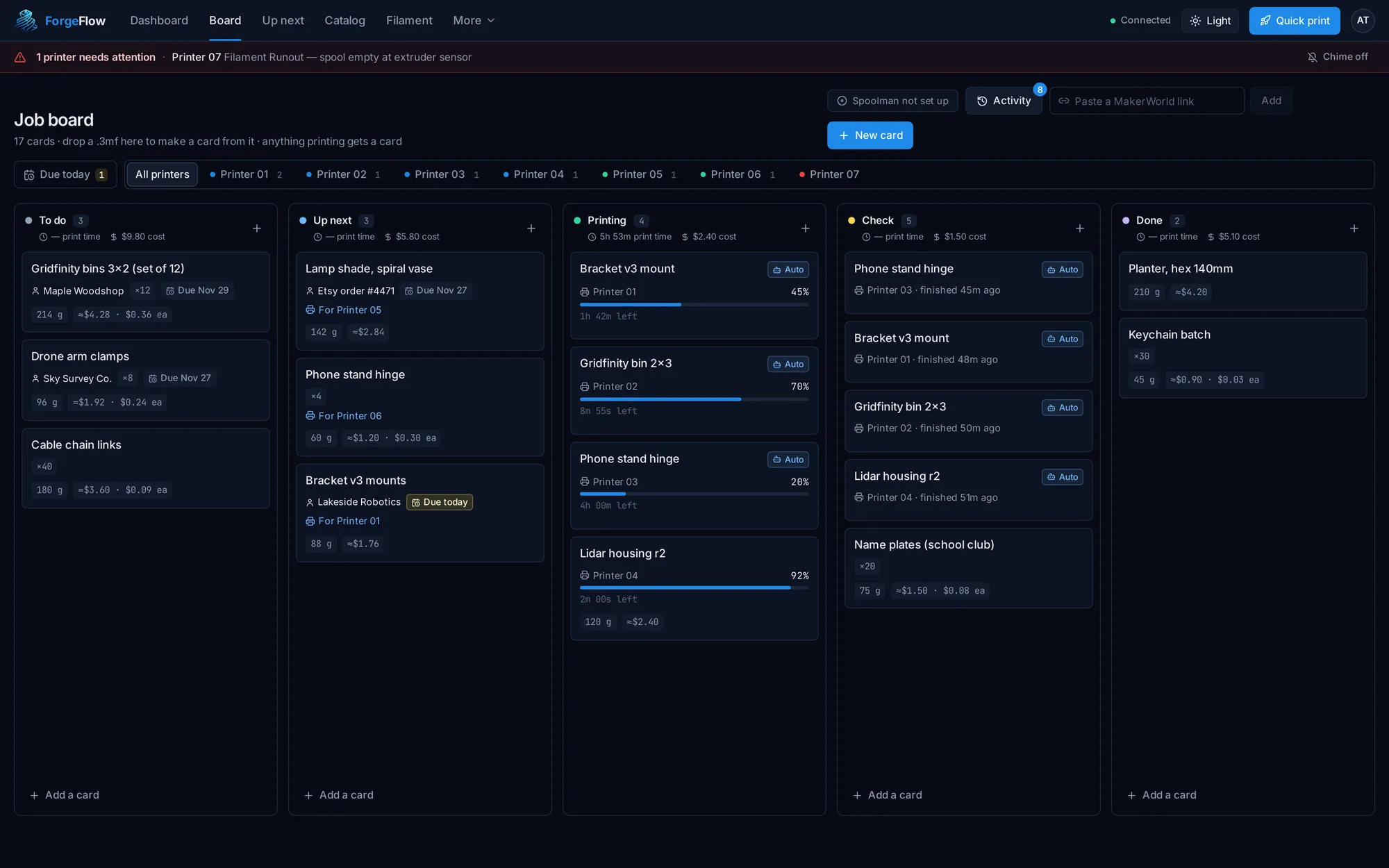
To do, Up next, Printing, Check, Done. Cards carry the customer, due date, quantity, filament and cost.
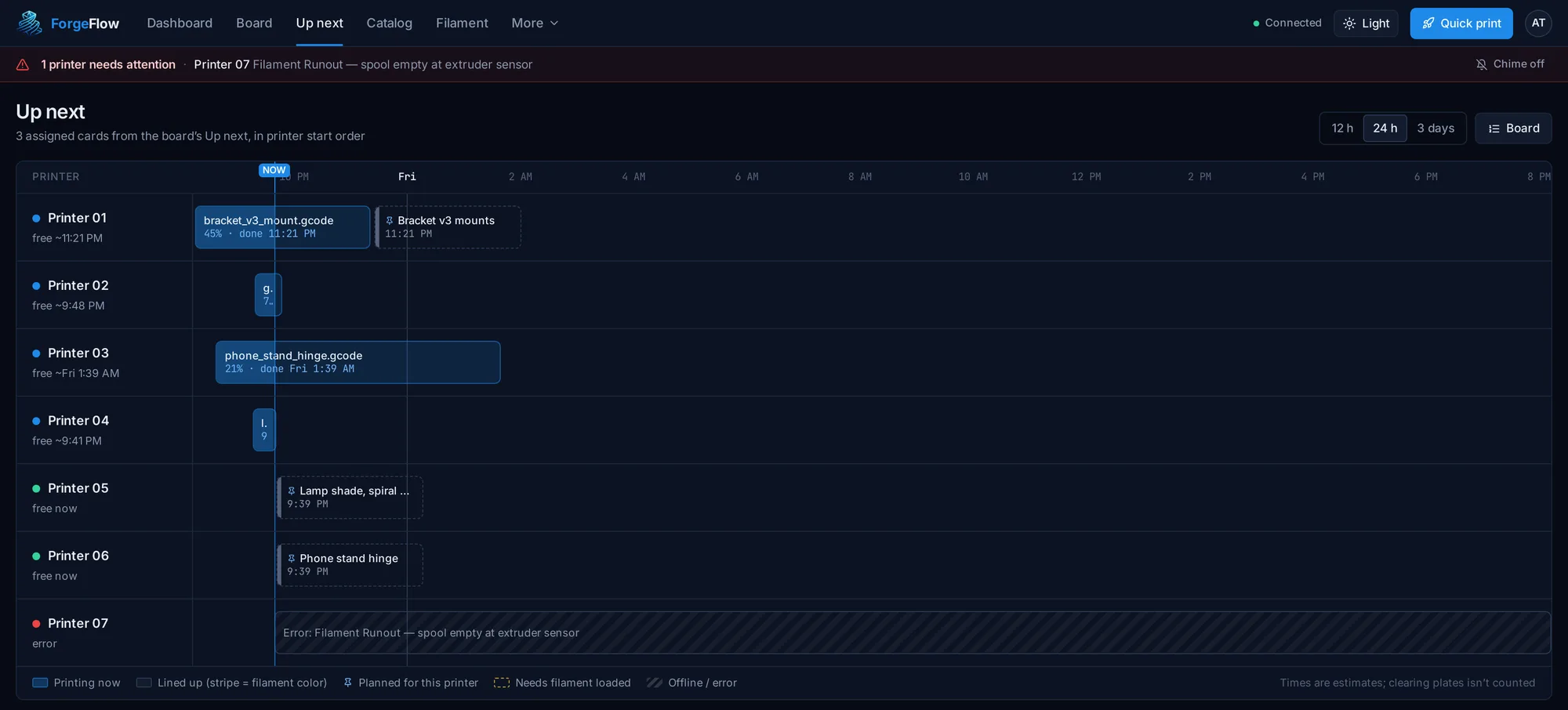
The Up next timeline shows each printer’s queue with estimated start and finish times, so you can promise dates with confidence.
Matches each job to a printer with the right filament and colors loaded in its AMS, the right model and the right hotends.
A file sliced for another printer model, or a color loaded on the other nozzle of an H2D? ForgeFlow re-slices it with Bambu Studio and keeps your settings.
A red alert across the top, an optional chime and plain-English error codes. Retry, move the job to another printer, or take it out for maintenance in one click.
Big buttons at the printer: confirm a plate is clear, report a failed print, or scan a spool into an AMS slot.
Filament, power and machine time, plus your markup. Each card shows what the print costs and what to charge.
Job board
Drop a .3mf on the board, or paste a MakerWorld link, and it becomes a card. Assign it to a printer or let the farm pick the first one that’s free and has the colors loaded.
Up next
Every printer’s queue on one timeline, from what’s printing now through the jobs lined up behind it. Missing filament and faults show up before they hold anything up.
Print hours and filament use counted against service intervals, with the installed nozzle and plate recorded for each printer.
Admin, operator and viewer roles, so staff can run prints and customers can look without changing anything.
Remote access through your own Cloudflare tunnel, set up from Settings. No ports to open on your router.
Every file you’ve printed, with plates, grams and time, ready to send again in a click.
Send a sliced file from Bambu Studio or OrcaSlicer straight to Quick Print or the job board.
The board, catalog, printers and settings are copied nightly and before every big change. Restore in one click.
How it works
One installer sets everything up. No server to rent, and no command line.
Run the ForgeFlow installer on any Windows 10 or 11 PC on the same network as your printers. It starts with the PC.
ForgeFlow finds Bambu Lab printers on your network by itself. Add Klipper, OctoPrint and Prusa printers by address.
Open it on the shop PC, a tablet at the printers or your phone. Turn on remote access to check in from home.
Pricing
ForgeFlow is a paid product. Pricing will be announced at launch, and early-access members hear first.
Pricing announced at launch Join early access to hear first
About us
ForgeFlow is made by RGZ Tech Services. It didn’t start as a product. It started as a fix for a real shop: a farm of Bambu Lab H2D and P2S printers that had outgrown phone apps, spreadsheets and sticky notes.
The problems were the same ones every growing farm hits. A failed print sat unnoticed for hours, a printer stood idle because nobody knew it had finished, and a job went out on the wrong color. Each feature in ForgeFlow was built because that farm needed it, and tested against real printers on a real shop floor.
We’re now opening it up to other farms. If you run several printers and spend more time managing them than printing, we’d like to hear from you.
Questions
No. ForgeFlow runs on a PC in your shop and talks to your printers directly over your network. The internet is only needed to install it, get updates, download MakerWorld links, and for remote access if you turn it on.
Bambu Lab printers (including two-nozzle H2D with AMS) are supported best, followed by Klipper printers through Moonraker and OctoPrint. Prusa printers through PrusaLink are in beta. You can mix brands in one farm.
No. Keep slicing the way you do now. ForgeFlow takes the sliced file and handles the rest. When a file has to be sliced again for a different printer, it uses Bambu Studio on the farm PC and keeps the settings you chose.
They need to be on your network in LAN mode. Some models also need Developer Mode turned on before they’ll accept print jobs from other software. ForgeFlow tells you if a printer refuses a job and why.
Yes. Anyone with a login can open ForgeFlow in a phone browser. Floor mode has big buttons made for use at the printer. Roles control who can start prints and who can only look.
ForgeFlow will be a paid product with one Standard plan. Pricing will be announced at launch, and early-access members hear first.
Early access
Tell us a little about your shop. We’re letting farms in a few at a time, and we’ll be in touch about setup and launch pricing.
Thanks! We’ll be in touch at the email you gave.